
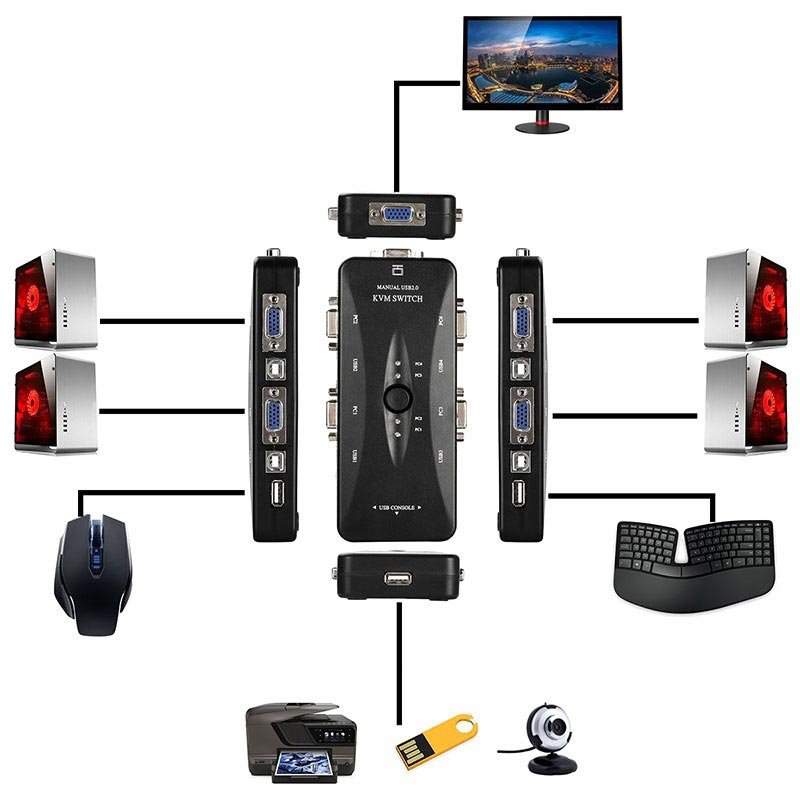


Simplify your workspace and boost productivity with the 4 Port VGA KVM Switch 2.0, a practical and reliable solution for managing up to four computers using a single VGA monitor, keyboard, and mouse. Designed for seamless switching and stable connections, this device is ideal for offices, control rooms, and IT setups that require efficient device management with minimal clutter.
| Feature | Details |
|---|---|
| Video Input Ports | 4 × VGA (HD15) |
| Video Output | 1 × VGA (HD15) |
| Supported Resolution | Up to 1920×1080 @ 60Hz |
| USB Ports | 2 × USB 2.0 for keyboard/mouse |
| Audio Support | Optional 3.5mm audio ports (model dependent) |
| Switching Methods | Front buttons, keyboard hotkeys |
| Power Supply | DC 5V (optional external power) |
| Material | Metal casing |
| Compatibility | Windows / macOS / Linux |
FAQs
Q1: Can this KVM switch support Full HD displays?
A1: Yes, the 4 Port VGA KVM Switch 2.0 supports up to 1920×1080 resolution for sharp, clear visuals.
Q2: Do I need to install drivers to use this KVM switch?
A2: No, it’s completely plug and play — just connect your devices and start using immediately.
Q3: Is it compatible with USB keyboards and mice?
A3: Yes, it supports both USB and standard wired or wireless keyboard and mouse combinations.
Q4: Can I switch between computers without using the buttons?
A4: Yes, you can also switch via keyboard hotkeys for faster and easier control.
Q5: Does this device support audio switching?
A5: Some models include 3.5mm audio jacks for audio switching; check your version’s specifications.










 No products in the cart.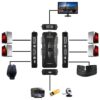
Reviews
There are no reviews yet.