
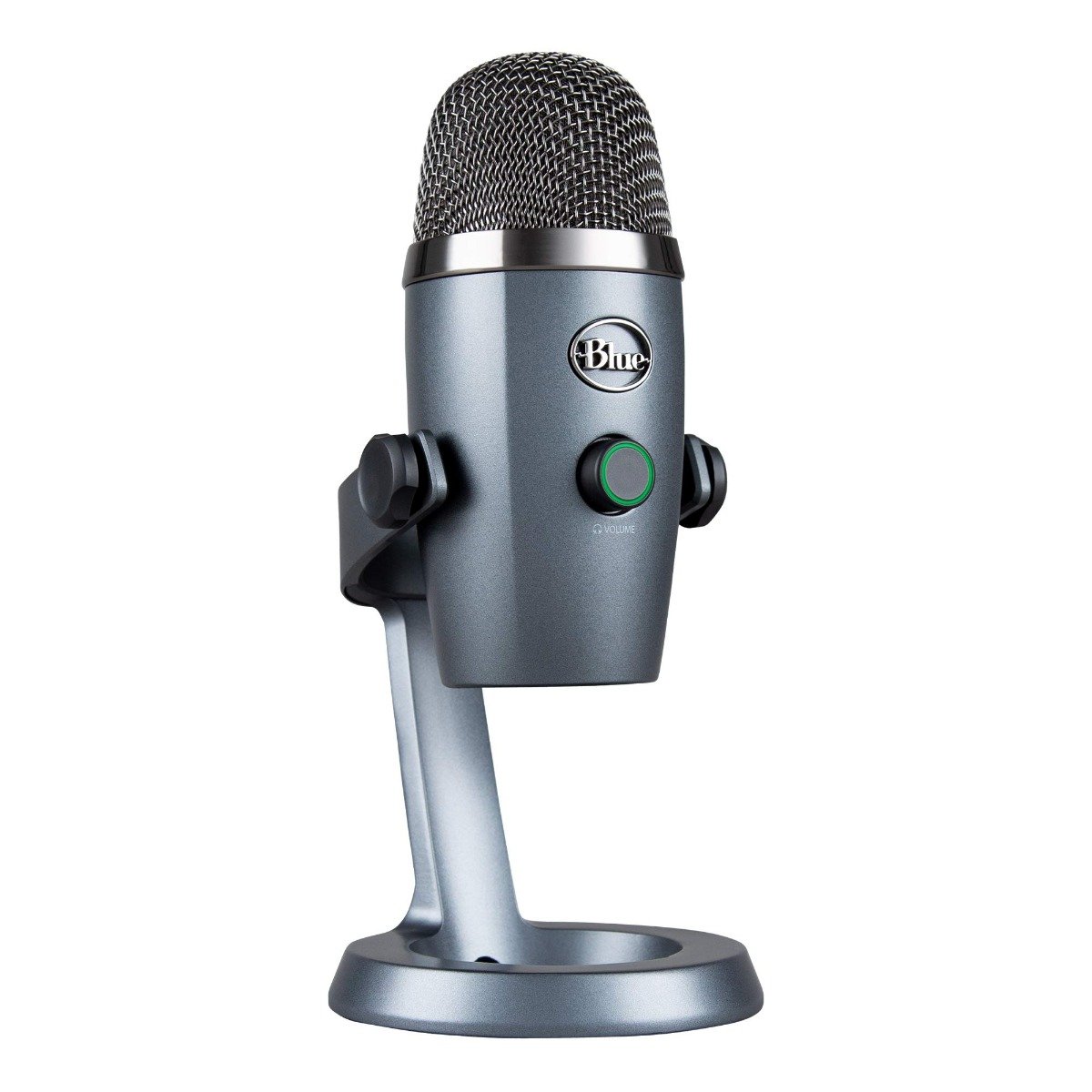


The Logitech Blue Yeti Nano USB Microphone is a compact, professional-grade microphone built for creators, streamers, podcasters, and remote workers who demand crisp, clear audio with plug-and-play simplicity.
It delivers 24-bit/48kHz audio resolution for rich and accurate sound, capturing every detail of your voice whether you’re recording a podcast, going live on Twitch or YouTube, attending Zoom meetings, or creating voice-over content.
The dual pickup patterns – cardioid for focused speech and omnidirectional for group conversations – make the Yeti Nano versatile for multiple recording scenarios. With zero-latency headphone monitoring, you can hear yourself in real-time and adjust on the fly.
Its compact metal body, adjustable stand, and LED level indicator offer a sleek yet practical desktop solution. The mic also supports Blue VO!CE software, which gives you access to broadcast-style vocal presets and filters for even better performance.
Whether you’re a content creator or just want professional-sounding voice calls, the Blue Yeti Nano is an excellent USB microphone that balances quality, style, and ease of use.
Specifications:
| Feature | Details |
|---|---|
| Product Name | Logitech Blue Yeti Nano USB Microphone |
| Audio Resolution | 24-bit / 48kHz |
| Pickup Patterns | Cardioid, Omnidirectional |
| Connectivity | USB 2.0 (Plug-and-Play) |
| Compatibility | Windows 10+, macOS 10.13+ |
| Frequency Response | 20Hz – 20kHz |
| Max SPL | 110dB |
| Controls | Volume, mute, pickup pattern selector |
| Headphone Jack | 3.5mm with zero-latency monitoring |
| Software Support | Blue VO!CE with EQ, filters, presets |
| Mounting | Adjustable desktop stand (included) |
| Dimensions | 109 x 96 x 211 mm |
| Weight | ~630g (with stand) |
| In-Box Contents | Microphone, USB Cable, Adjustable Stand, User Manual |
FAQs:
Q1: Is the Blue Yeti Nano good for streaming?
Yes, it’s designed for streaming, gaming, podcasting, and more, with clear 24-bit sound and plug-and-play USB connectivity.
Q2: Can I connect it directly to my laptop or PC?
Yes, it’s plug-and-play via USB with no drivers required for Windows or Mac.
Q3: Does it support live voice monitoring?
Yes, it has a built-in headphone jack with zero-latency monitoring.
Q4: What’s the difference between cardioid and omnidirectional modes?
Cardioid focuses on sound in front of the mic—ideal for solo vocals. Omnidirectional captures sound from all directions—great for group chats.
Q5: Does it work with Blue VO!CE software?
Yes, it supports Blue VO!CE for advanced EQ, voice effects, and filters.











 No products in the cart.
Reviews
There are no reviews yet.