

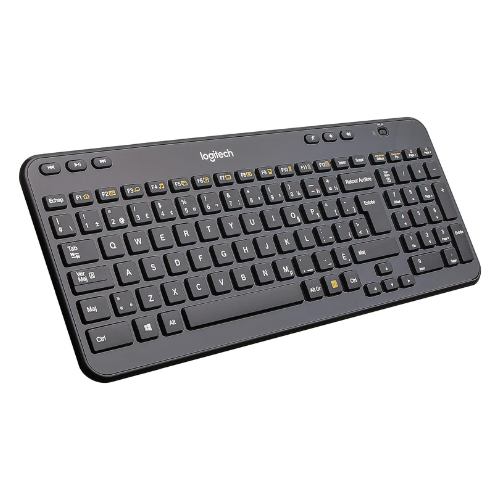
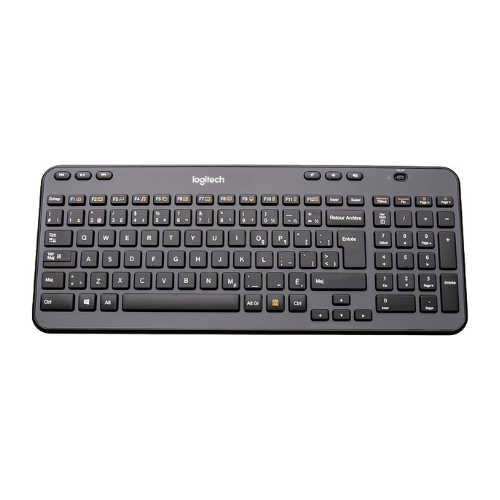


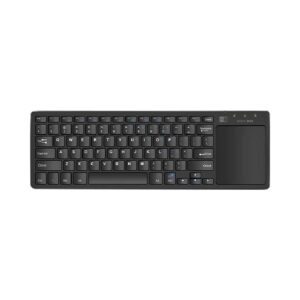
The Logitech K360 Compact and Slim Wireless Keyboard is the perfect blend of functionality and convenience for home and office users who want a clutter-free desk without sacrificing comfort. Despite its compact design, the K360 features a full-size layout, including a dedicated number pad and 12 programmable F-keys, allowing you to work and browse efficiently. Its advanced 2.4GHz wireless connectivity ensures a strong and reliable signal, while the included Logitech Unifying Receiver supports multiple Logitech devices from a single USB port. With up to 3 years of battery life, stylish low-profile keys, and a sleek finish, the K360 is built for productivity and comfort in tight spaces.
Key Features
-
Compact Design: 20% smaller than standard keyboards with full functionality
-
Extended Battery Life: Up to 3 years of usage with 2 AA batteries
-
Hotkeys & F-Key Customization: Quick access to media, email, internet, and more
-
Reliable Wireless: 2.4GHz wireless connection with a range up to 10 meters
-
Unifying Receiver: Connects up to 6 Logitech devices with one USB port
-
Quiet Typing: Low-profile keys for a quiet, comfortable typing experience
-
Stylish & Portable: Slim design with elegant finish perfect for any workspace
Technical Specifications
| Feature | Details |
|---|---|
| Product Name | Logitech K360 Compact and Slim Wireless Keyboard |
| Keyboard Layout | Full-size with number pad and shortcut keys |
| Connectivity | 2.4GHz Wireless via Logitech Unifying Receiver |
| Wireless Range | Up to 10 meters |
| Programmable Keys | 12 F-keys (with Logitech Options software) |
| Hotkeys | 6 built-in hotkeys for media, email, web |
| Battery Type | 2 × AA batteries |
| Battery Life | Up to 3 years |
| Dimensions | 381 x 155 x 19 mm |
| Weight | Approx. 481 g |
| Compatibility | Windows 7, 8, 10, 11 |
| Warranty | 3-Year Manufacturer Warranty |
Frequently Asked Questions (FAQ)
Q: Is the K360 compatible with macOS?
A: While it may function as a basic keyboard, the K360 is optimized for Windows systems.
Q: Does it require any software installation?
A: No installation is needed for basic use. Logitech Options software is optional for customizing F-keys.
Q: Can I use this with other Logitech devices?
A: Yes, the Unifying Receiver can pair with up to six compatible Logitech devices.
Q: Does it have backlighting?
A: No, the Logitech K360 does not feature backlit keys.
Q: Is this keyboard good for travel or compact workspaces?
A: Yes, its compact and slim profile makes it ideal for small desks or mobile setups.










 No products in the cart.
Reviews
There are no reviews yet.