


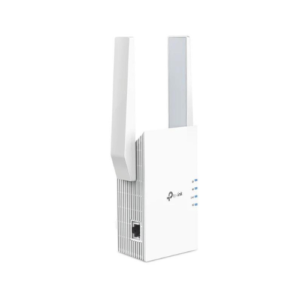
TP Link RE650 AC2600 Wi-Fi Range Extender is your ultimate solution for eliminating Wi-Fi dead zones in large homes or offices. This high-performance range extender delivers lightning-fast dual-band speeds up to 2600Mbps, ensuring smooth 4K streaming, online gaming, and uninterrupted browsing.
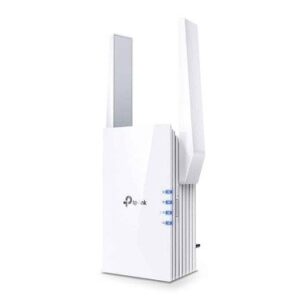
Designed with four powerful external antennas, the RE650 ensures broader coverage and a more stable wireless connection. It features MU-MIMO Wave 2 Technology, allowing it to communicate with multiple devices simultaneously for faster, more efficient network performance.
With the Gigabit Ethernet port, you can also connect wired devices such as gaming consoles, PCs, or smart TVs for maximum speed. The built-in Smart Signal Indicator helps you find the best spot to place the extender for optimal performance.
Setup is quick and easy with the TP Link Tether App, which lets you manage network settings right from your smartphone.
Whether you’re in a multi-story home or office, the TP Link RE650 AC2600 boosts signal strength and quality, keeping you connected wherever you go.
Buy now from Future IT and upgrade your home Wi-Fi experience.
✅ Specifications
| Specification | Details |
|---|---|
| Model | TP Link RE650 |
| Wi-Fi Speed | AC2600 (800Mbps @2.4GHz + 1733Mbps @5GHz) |
| Antennas | 4 External Antennas |
| Technology | MU-MIMO, Beamforming |
| Port | 1x Gigabit Ethernet |
| Compatibility | Works with any Wi-Fi Router |
| App Support | TP Link Tether App |
| Setup | WPS Button, Web Interface |
| Indicators | Smart Signal Indicator |
| Dimensions | 6.3 × 3.0 × 2.7 in (160 × 80 × 67 mm) |
✅ FAQs
Q1: Does the TP Link RE650 work with all routers?
Yes, the RE650 is compatible with any standard Wi-Fi router or gateway.
Q2: What is MU-MIMO technology?
MU-MIMO allows the extender to communicate with multiple devices at once, improving network efficiency and reducing lag.
Q3: Can I use the Gigabit port to connect a wired device?
Absolutely. The RE650 has one Gigabit Ethernet port ideal for gaming consoles, desktops, or smart TVs.
Q4: How do I find the best location to place the extender?
Use the built-in Smart Signal Indicator to find a spot with strong signal strength for optimal coverage.
Q5: Is the setup beginner-friendly?
Yes. You can easily set up the RE650 using the WPS button or via the TP Link Tether App on your mobile device.









 No products in the cart.
Reviews
There are no reviews yet.